Purchase DriftLab
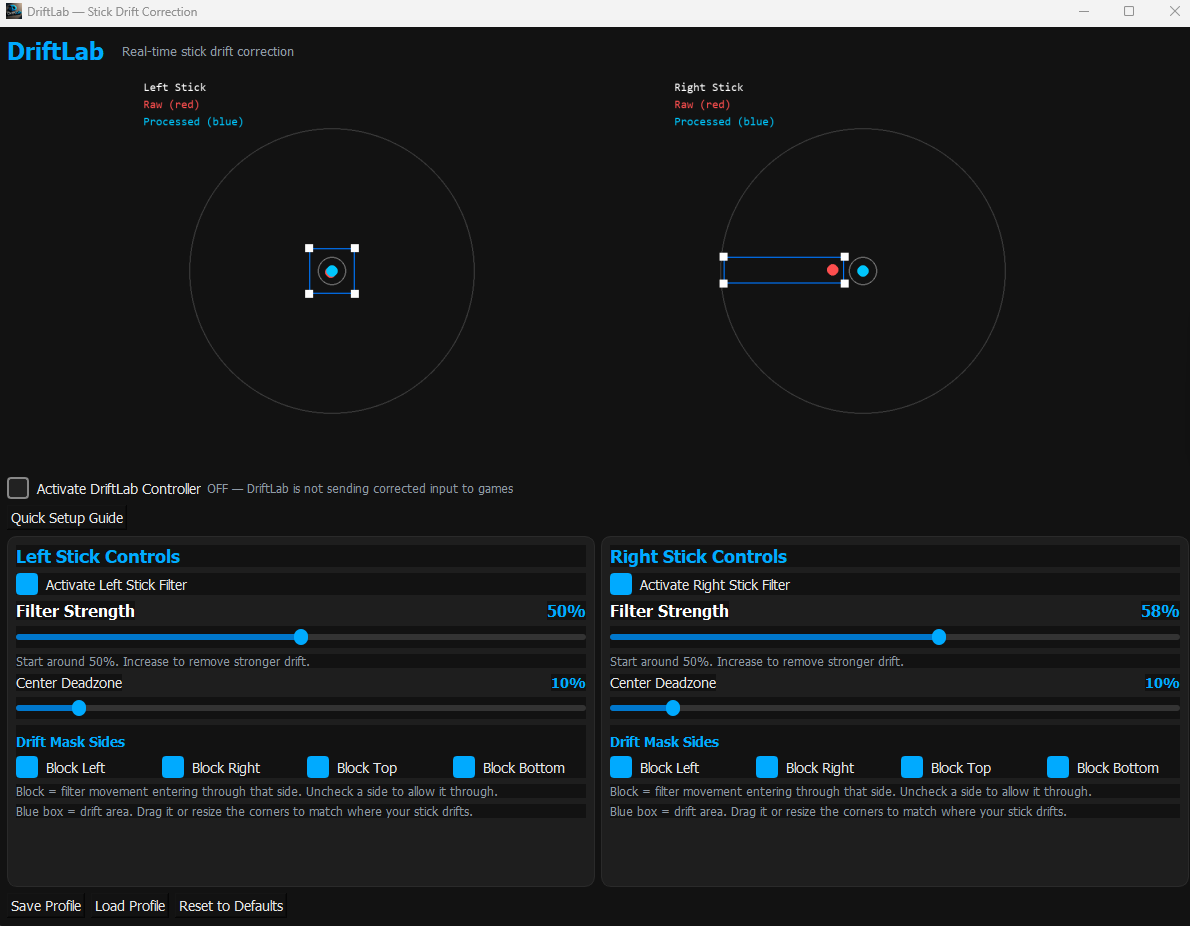
Real-time stick drift correction for supported PC controllers.
Buy DriftLab for Windows
Version: 1.0.0
Last Updated: March 2026
Price: A$14.99 — One-Time Purchase
System Requirements
- Windows 10 or Windows 11
- Supported controller (Xbox, DualSense, Switch Pro, XInput)
- Internet connection for first-time activation
Installation
- Purchase DriftLab using the button above.
- After checkout, download the DriftLab_v1.0.zip file from your email receipt.
- Right‑click the ZIP file and select Extract All…
- Before launching DriftLab, install the ViGEmBus driver (required for virtual controller output). Download it from the official page: https://github.com/nefarius/ViGEmBus/releases — then install the file named ViGEmBus_1.22.0_x64_x86_arm64.exe and restart your PC.
- Open the extracted DriftLab folder.
- Double‑click DriftLab.exe to launch the app.
- If Windows SmartScreen appears, click More Info → Run Anyway to continue.
- Connect your controller and begin calibration.
- Enable Virtual Controller Output inside DriftLab.
- Your controller will appear as a virtual Xbox 360 controller and will be ready to use in game.
Why Windows SmartScreen May Appear
Because DriftLab is a brand‑new application, Windows may show a SmartScreen message the first time you run it.
This is normal for new software without an established reputation.
If it appears, simply click More Info → Run Anyway to continue.
DriftLab is safe to use and processes all controller input locally on your PC.
Safety & Privacy
DriftLab processes controller input locally on your PC.
No personal data is collected or transmitted.
Changelog
v1.0.0 — Initial release.