1
Plug in and let go
Install DriftLab, connect your controller and let go of the sticks. The red dot shows exactly where your stick drifts.
 DriftLab
DriftLab sits between your controller and your games and removes drift in real time. You mark exactly where your stick drifts, so you keep full, precise control everywhere else — no giant deadzone, no soldering, no new controller.
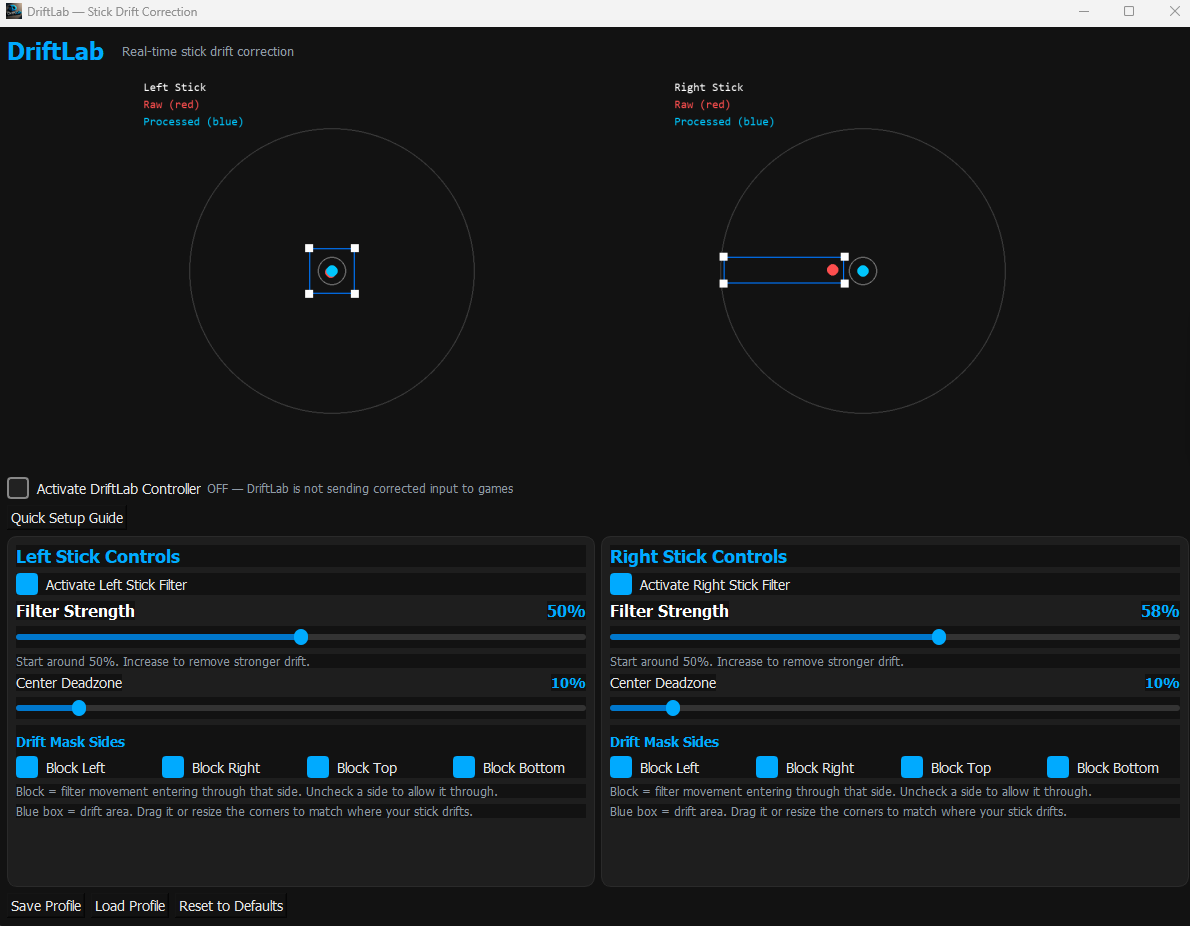
Red = what your controller sends · Blue = what your game gets
Steam and most games fix drift with a bigger circular deadzone. That throws away every small movement in every direction. DriftLab only blocks the spot where your stick actually drifts.
To hide strong drift you need a huge deadzone, so slow aiming, gentle steering and small camera moves stop working in every direction.
Drag a box over where your stick drifts. DriftLab snaps drift back to centre, while its intent filter still lets deliberate movement through — even through the same area.
Install DriftLab, connect your controller and let go of the sticks. The red dot shows exactly where your stick drifts.
Drag the blue mask over the drift and set Filter Strength. The blue dot is what your game will receive.
DriftLab sends corrected input through a virtual Xbox controller and can hide your real one from games. Save a profile per game.
Windows 10 & 11, USB or Bluetooth. Games see a standard Xbox controller, so it works in anything with controller support.
A replacement controller costs A$90+. Try DriftLab on your own drift first, then decide.
7 days, everything unlocked
≈ US$10 · no subscription
Didn't fix your drift? Email within 14 days of buying for a full refund.
DriftLab was built around a PS5 controller with very bad drift, and handles anything from light wander to strong constant drift. The free trial is the easiest way to know for sure — the preview shows your raw and corrected input side by side.
A deadzone ignores all small movement in every direction. DriftLab only blocks the area your stick drifts into, and its intent filter lets deliberate movement through, so you keep fine aim and gentle steering.
DriftLab reads your controller about 250 times a second and processes each sample in well under a millisecond, so for gaming it's effectively instant.
DriftLab only corrects stick position — it doesn't automate anything or touch game files. It uses ViGEmBus, the same widely used virtual controller driver as DS4Windows. Some competitive games with strict anti-cheat may not accept virtual controllers; check the game's rules if you're unsure.
DriftLab is a new app from an independent developer, so Windows hasn't built up "reputation" for it yet. Click More info → Run anyway. DriftLab only installs its app files and the ViGEmBus (and optionally HidHide) drivers.
No — DriftLab is for Windows PC only.
No. It's software correction, so it hides the drift rather than fixing the worn hardware. Most people find that's all they need.
Free for 7 days. No card needed.